
Your meetings,
understood.
Zeca records, transcribes and summarizes every meeting as it happens. Everything runs on your Mac.
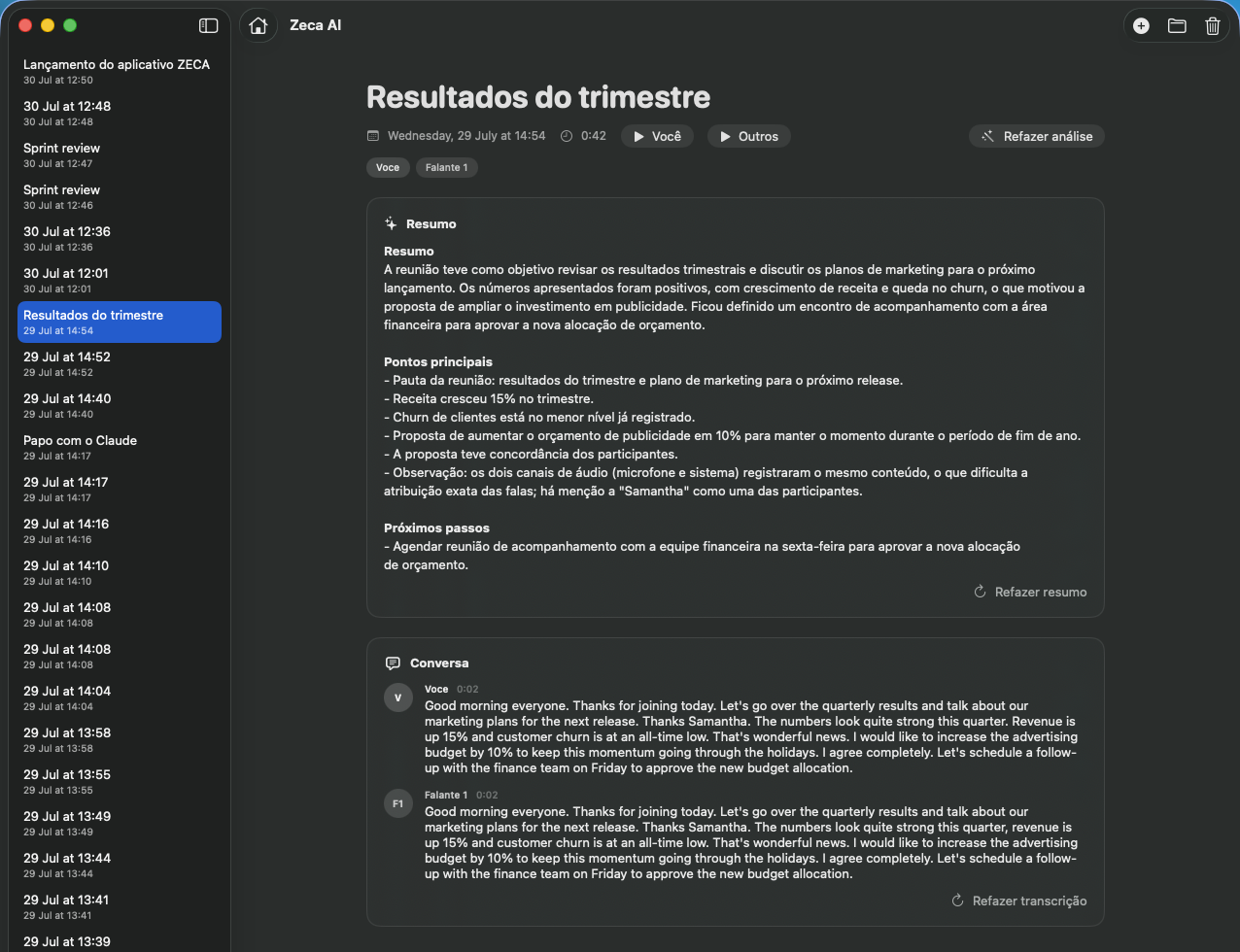
Zeca records, transcribes and summarizes every meeting as it happens. Everything runs on your Mac.
You talk, the text shows up. Transcription runs while you record, sentence by sentence, on your microphone and the call audio mixed together. It understands dozens of languages and figures out which one is being spoken.
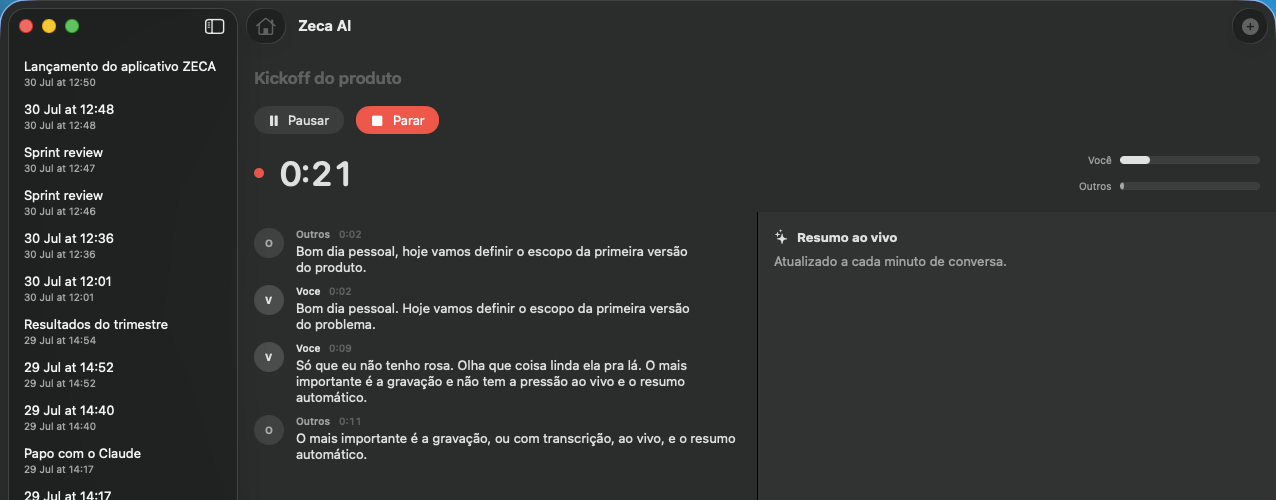
When the call ends, one click gets you the summary: what was discussed, what was decided and what's left to do. Another gets you a point-by-point account of the whole conversation.
The dashboard shows today's events, with one click to join the call already recording. It also tells you how much of your week went to meetings.
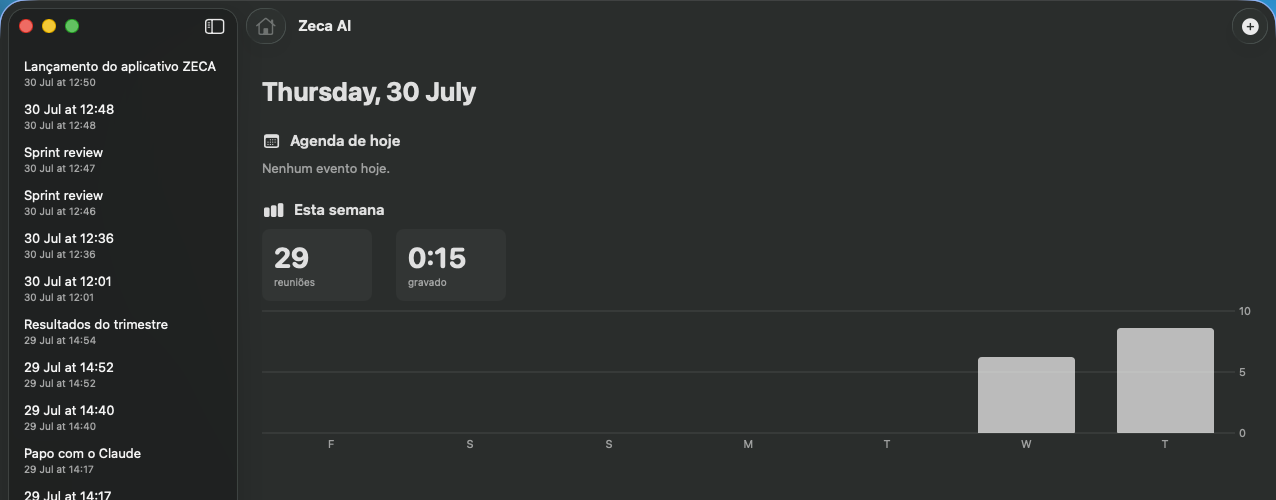
Records your microphone and the system audio as separate tracks. Works with any meeting app.
Your microphone and the call audio are mixed before transcription, so you can use loudspeakers and nothing gets transcribed twice.
Forgot to name it? Zeca titles the meeting after what was actually discussed.
English, Portuguese, Spanish and dozens more. Even mixed in the same meeting.
Whatever happens while paused stays out of the recording, the transcript and the summary.
The timer and the meeting title live in the menu bar. Pausing or stopping never means switching windows.
Audio never leaves your computer. Transcription runs on the Mac itself, on the Neural Engine — and summaries can too, with the built-in on-device model. Prefer Claude for summaries? That's the only thing that touches the cloud, with your own API key. No key, no cloud.